Chrome Extension
 Chrome Extension
Bank Statement Converter Chrome Extension
Convert bank statement PDFs to Excel and CSV from Chrome. Powered by the same bank statement converter you already use on the web — one account, one credit balance.
Also available for Microsoft Edge · Privacy Policy
 Microsoft Edge
Bank Statement Converter in your browser
The extension is a lightweight client for our SaaS — not a separate product.
Same engine as the website
Uses the production Bank Statement Converter pipeline — digital PDFs and scanned statements supported.
Excel & CSV export
Download structured transaction data without leaving Chrome.
Your existing account
Sign in with your Bank Statement Converter account. Credits and plans sync with the website.
Fast popup workflow
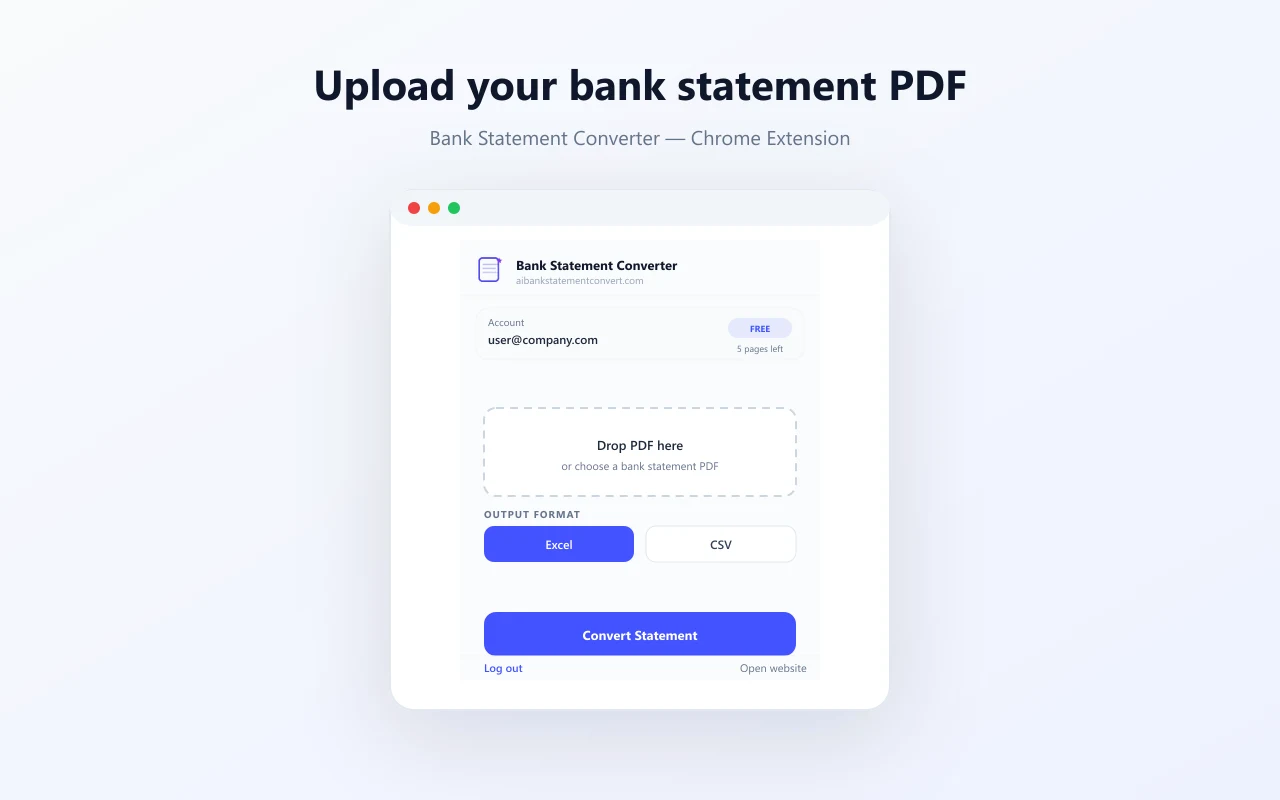
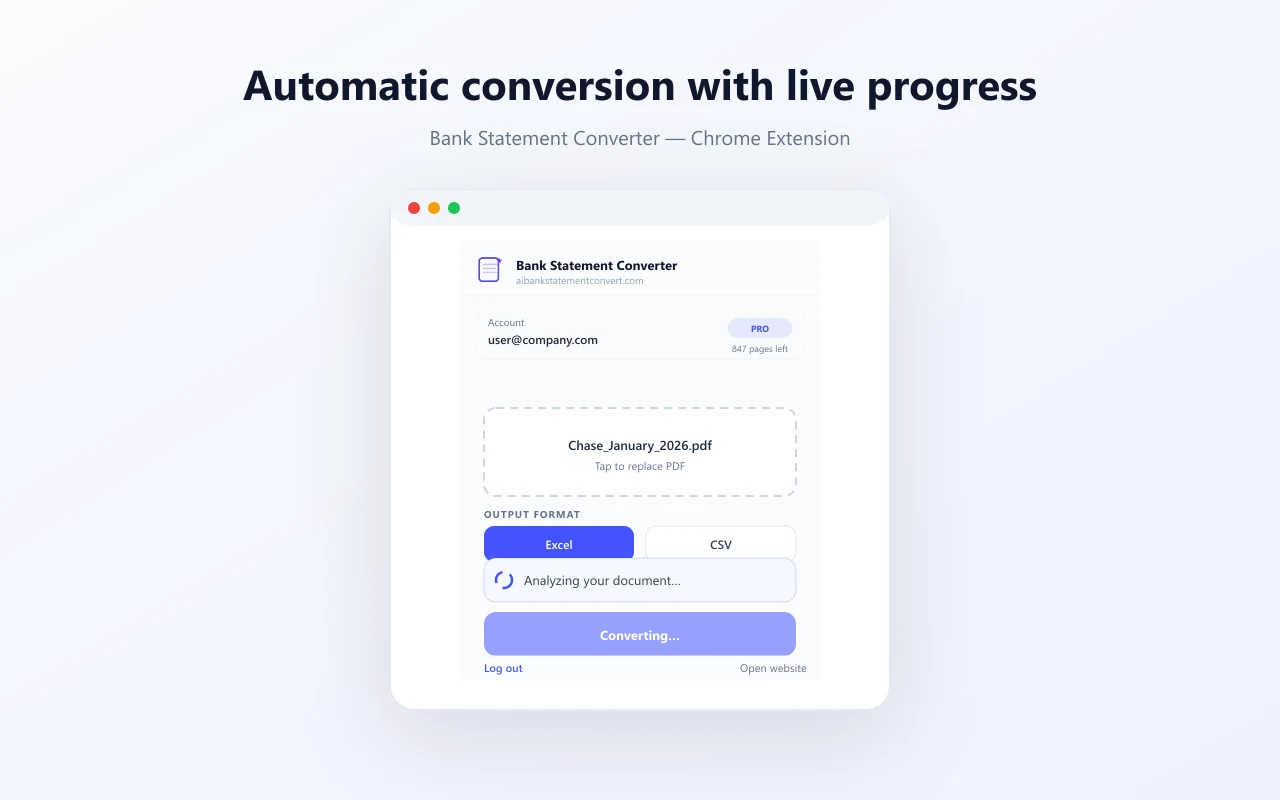
Drop a PDF, pick Excel or CSV, and convert in seconds from the toolbar.
How to convert bank statements to Excel in Chrome
Install
Add Bank Statement Converter from the Chrome Web Store.
- 2
Sign in
Click Log in in the extension — uses your website account.
- 3
Convert
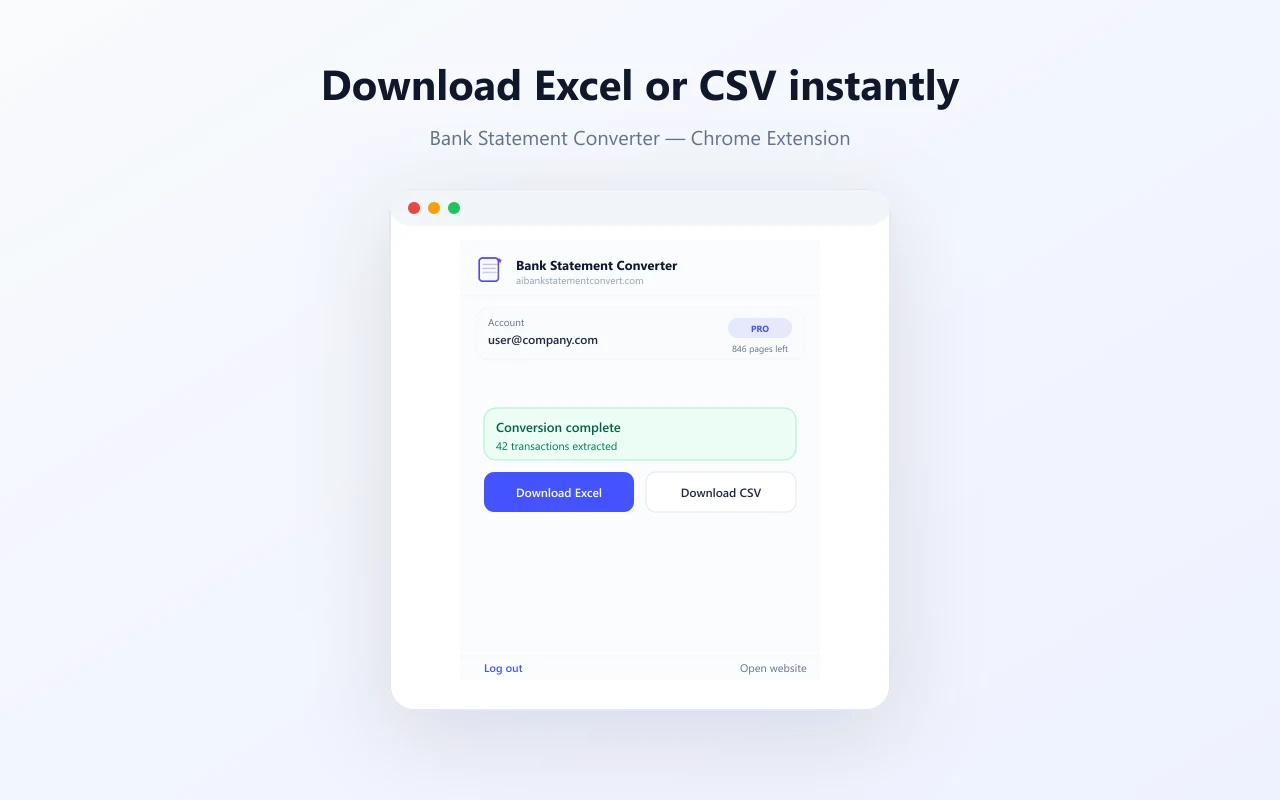
Upload a PDF bank statement and download Excel or CSV.
Convert PDF statements without leaving Chrome
Open the popup, drop your bank statement PDF, and download Excel or CSV when processing completes.
Secure processing · PDFs up to 40 MB · Privacy Policy
Extension FAQ
Yes. The extension uses the same account, credits, and conversion engine as aibankstatementconvert.com. Sign in once and convert from Chrome or the website.
Install the bank statement converter extension
Free to install. Use your existing account or start with guest credits, then upgrade on pricing.