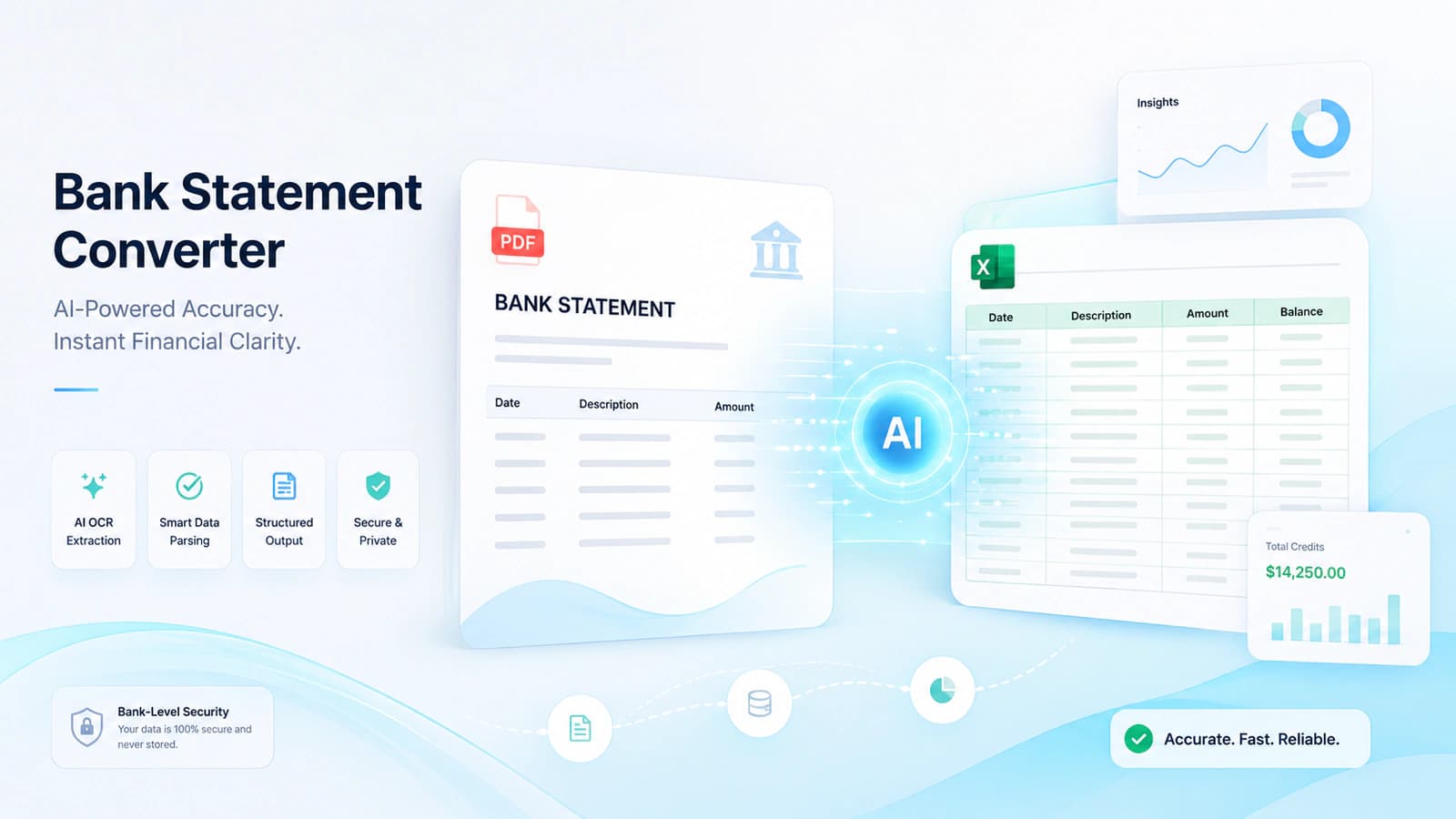
Introduction to Bank Statement Converters
A bank statement converter extracts PDF/image bank statements data into tabular data in Excel/CSV/JSON formats.
It replaces manual data entry with an automated workflow and reduces speed and accuracy.
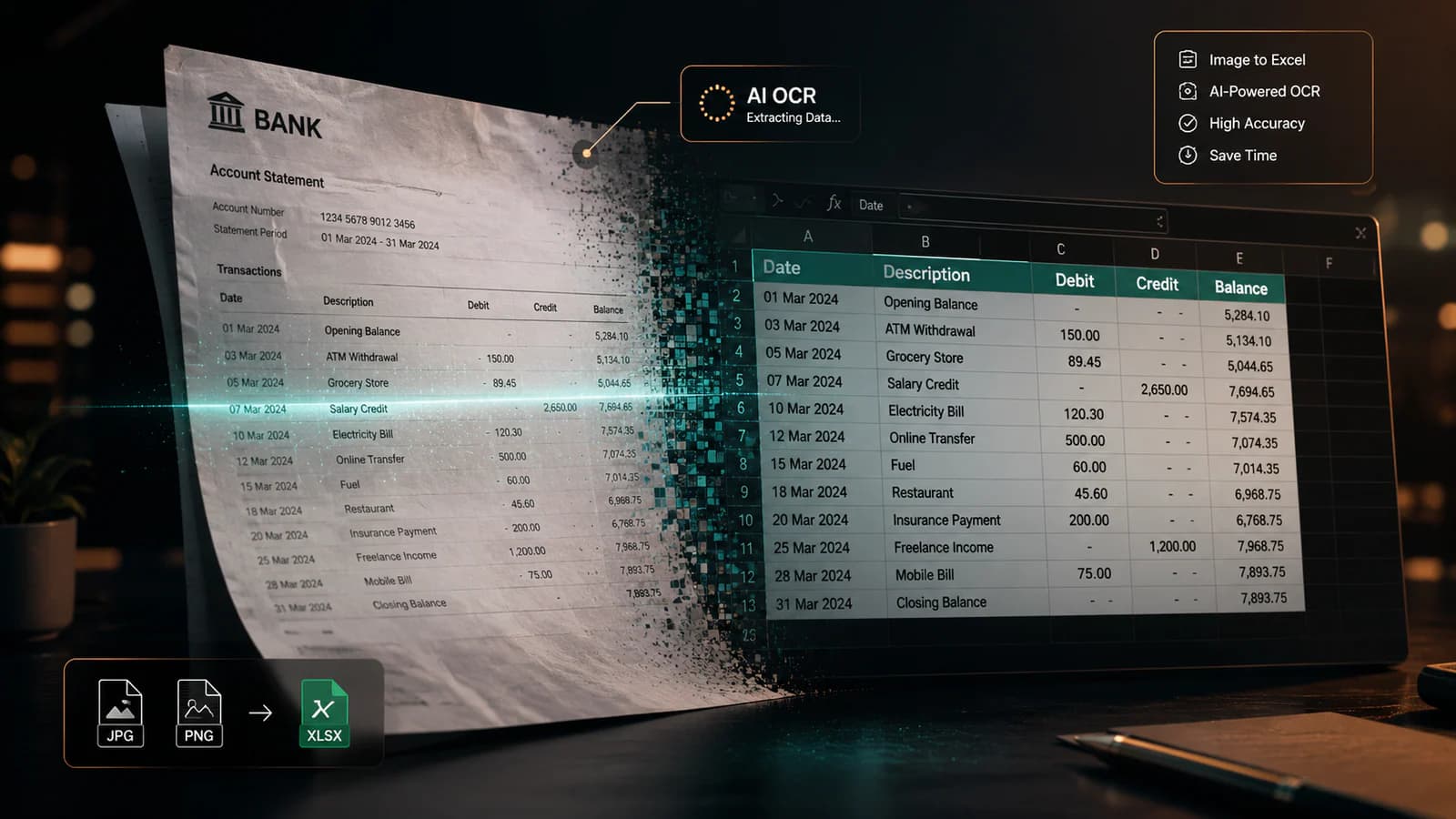
Uses OCR, AI, and data parsing to extract transaction details.
Supported formats are PDF, either digital or scanned ones, and image statements
What is the need for a bank statement converter when a customer may obtain a bank statement from the bank and use it? There is always a demand for the actual data of the bank statements, which is the need for accountants, analysts, etc. This is where the bank converter comes in play. What this tool does is to extract the individual transactions of the bank statement and organise these into rows and columns.
Today's business accountants and analysts have to deal with a large volume of financial data that spans various banks, different formats, and even different currencies. If they have to deal with this data manually, then it is highly time-consuming, and the chances of errors are high.
So even a misplaced decimal and missed transaction can destroy reconciliation, reporting, and audit. It is industry common observation that manual data entry can cause errors to a magnitude of 2-4% and image that if it is at scale what it can cost.
That's why manual data entry has been shifted to automated bank statement data extraction. A bank statement converter online or bank statement converter software can do all these tasks in seconds. According to me, this attempt not just saves time, but it also changes the way financial workflows operate now. It allows teams to focus on analysis instead of wasting their time on repetitive tasks of data entry.
These converters work with various bank statments format randig from digital/scanned bank statements to image based statment in JPG, PNG, etc. formats. Their output format may vary from Excel (.xlsx) to CSV or JSON if needed.
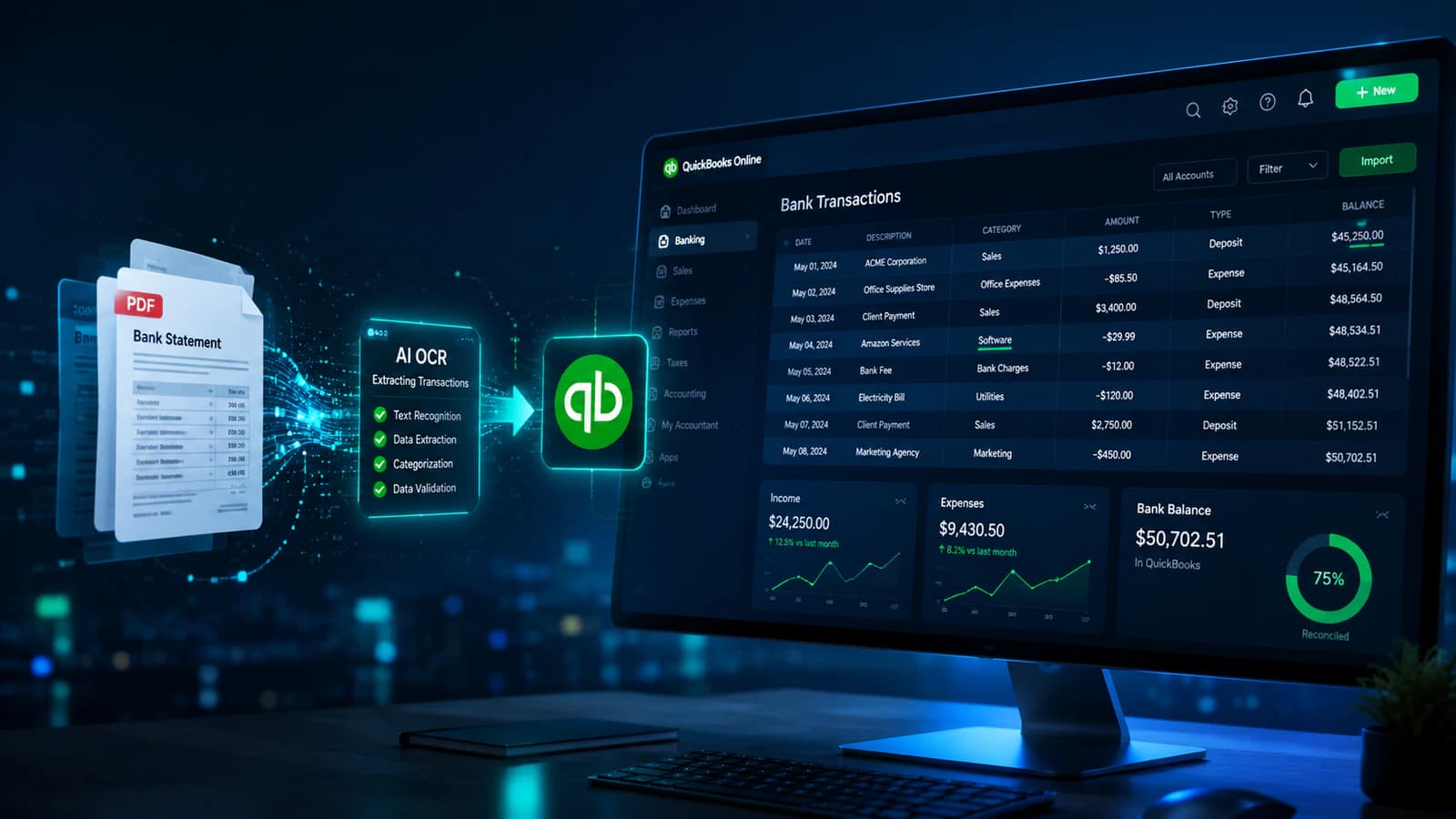
What technology is being used behind the scenes? OCR (Optical Character Recognition) reads text from images or PDFs, and raw data is extracted. This data is then interpreted using AI and machine learning. The result of this process is that bank statement tables are detected, and transaction-level data is extracted accurately. Now the extracted data is filtered, analyzed, and imported into software like QuickBooks or Xero.
A bank statement converter transforms PDFs/images into machine-readable structured data.
Key difference: human-readable (PDF) vs machine-readable (Excel/CSV/JSON).
Essential for workflows like accounting, reconciliation, and financial analysis.
Types include:
Online tools (quick, no installation)
Software solutions (advanced, scalable)
Free tools (limited features)
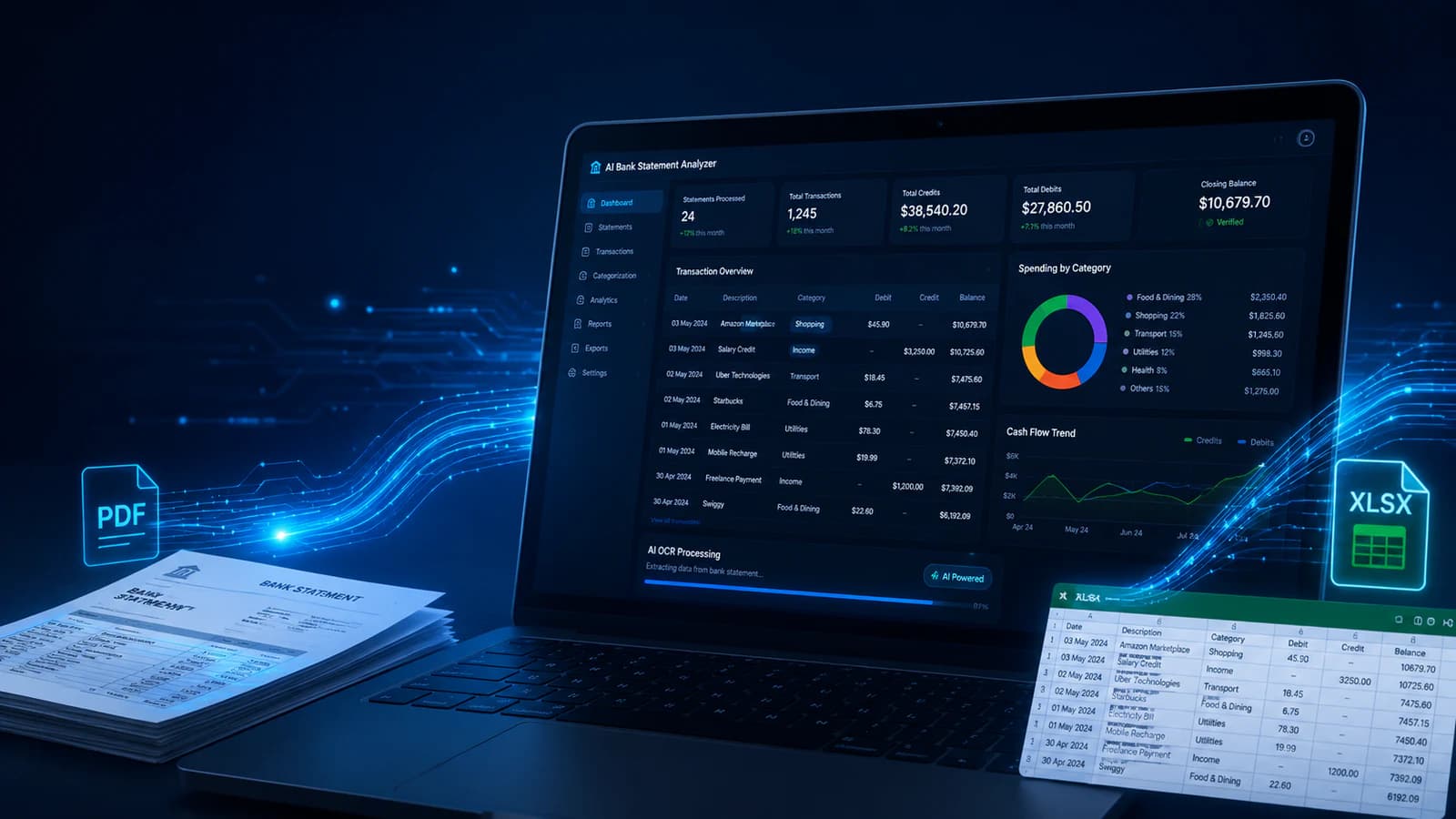
AI-powered converters (highest accuracy, automation)
Definition and Core Concept
AI Bank Statement Converter is a tool that converts unstructured bank statement data that is presently in a PDF / scanned bank statement into structured and machine-readable data. The main principle is to obtain information for each transaction from the bank statement, like dates, descriptions, amounts, and balances, and organise these into a table format.
Here, the core difference is between human-readable and machine-readable. A PDF is designed for viewing, and it is difficult to manipulate for a suitable purpose. On the other hand, Excel, CSV, or JSON have been designed for computation. Once using this converter when the data has been converted than user may sort, filter, run formulas, or integrate it into accounting systems.
Types of Bank Statement Converters
There are various such converters, each suited to some specific needs and use cases.
A bank statement converter online is a web-based solution in which the user simply uploads a bank statement in PDF or image format and instantly gets it converted to Excel, CSV, or JSON. It requires no installation and is suitable for quick tasks.
A bank statement converter software has more functionality like batch processing and integration with accounting software, and these softwares have high accuracy.
A bank statement converter free option is also available, and its web based too, and it employs various limitations like caps in the number of pages that can be converted or limitations in file size, etc. It's useful for individuals but not suitable for large wordplows.
Finally, an AI-powered bank statement converter is also available in the market, and due to the emerging AI boom ts becoming more popular these days. It uses machine learning and intelligent document processing, and can cater to different bank formats, without requiring predefined templates. Due to AI normalization, their accuracy is often high, reaching 99%.
Why You Need a Bank Statement Converter
Manual data entry is slow (45-60 mins per statement), error-prone (2-4%), and inconsistent across bank formats.
Bank statement converters eliminate copy-paste work using automation.
Key benefits:
Time savings (minutes vs hours)
High accuracy (99%+ with AI/OCR)
Scalability across multiple accounts and files
Automation of repetitive financial tasks
In today's finance-driven environment, it is hard to work with raw bank statement PDFs. Being a business owner, an accountant, or a financial analyst, to work with bank statements, you need its transactions data in a well-structured tabular format in Excel, CSV, or JSON format. This is the place where the back statement converter becomes inevitable.
Problems with Manual Data Entry
Manual data entry has always been the default approach till now for the availability of data that has been available in the bank statement.
Firstly, it is time-consuming, and even a small bank statement of 20-30 pages may take hours of work to do manual data entry. Now, if there are multiple bank accounts and different clients and different time periods, then you may imagine how long it would take to do that work, perhaps days or even weeks. months.
Secondly, error rates are very high; atypical industry observation says manual entry results in 2-4% error rates. This seems small, but a small error may lead to a flawed financial analysis.
Another major challenge is that each bank uses its own format for bank statements; some have a tabular structure, and others have some mixed approach, and further scanned PDFs add more complexity to this.
Professionals often describe this as copy-paste fatigue. A repetitive task that adds no value but consumes significant time.
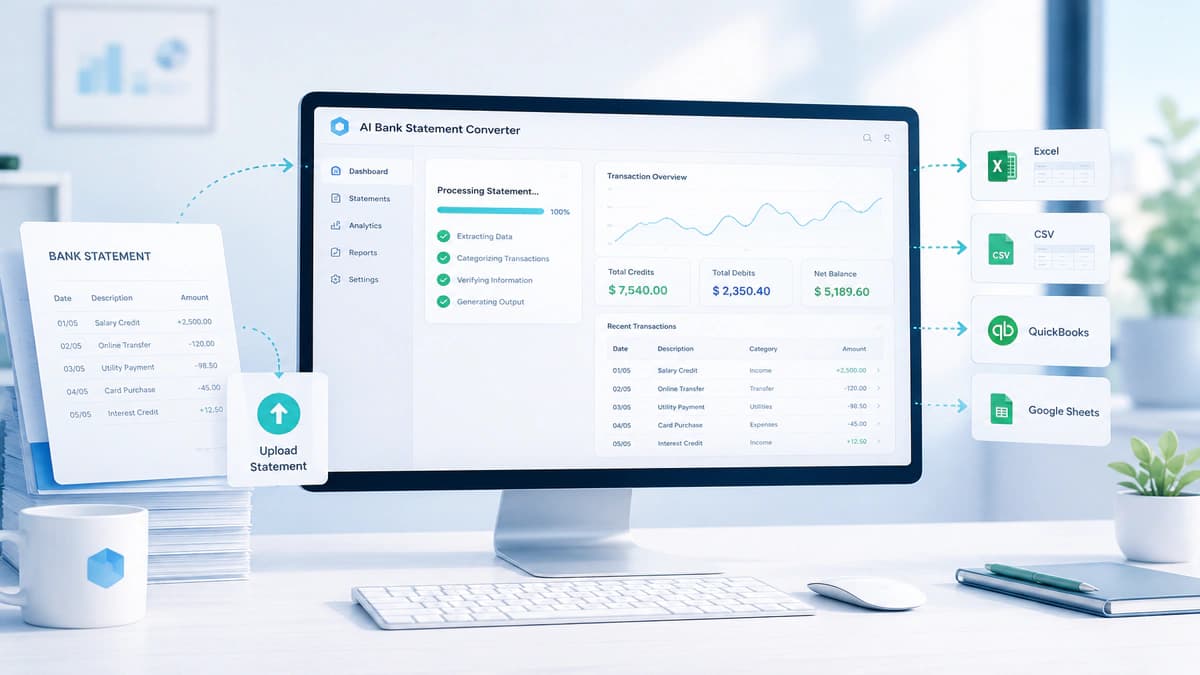
Benefits of Using a Bank Converter
Using a Bank Statement Converter, a user may obtain several benefits, such as saving hundreds of hours of their precious time that could have been wasted in manual data entry. For example, uploading a PDF statement into a bank statement converter online tool can instantly generate a clean Excel file that is ready for analysis. If such tasks are spanned over annualy than hundreds of hours are definitely saved.
Further, a high level of accuracy is achieved using such tools that employ OCR, machine learning, and intelligent parsing. It reduces human error upto 99% or higher.
Scalability is another benefit. Without these tools, we can manually achieve this level of scalability. You may process up to hundreds of statements instantly.
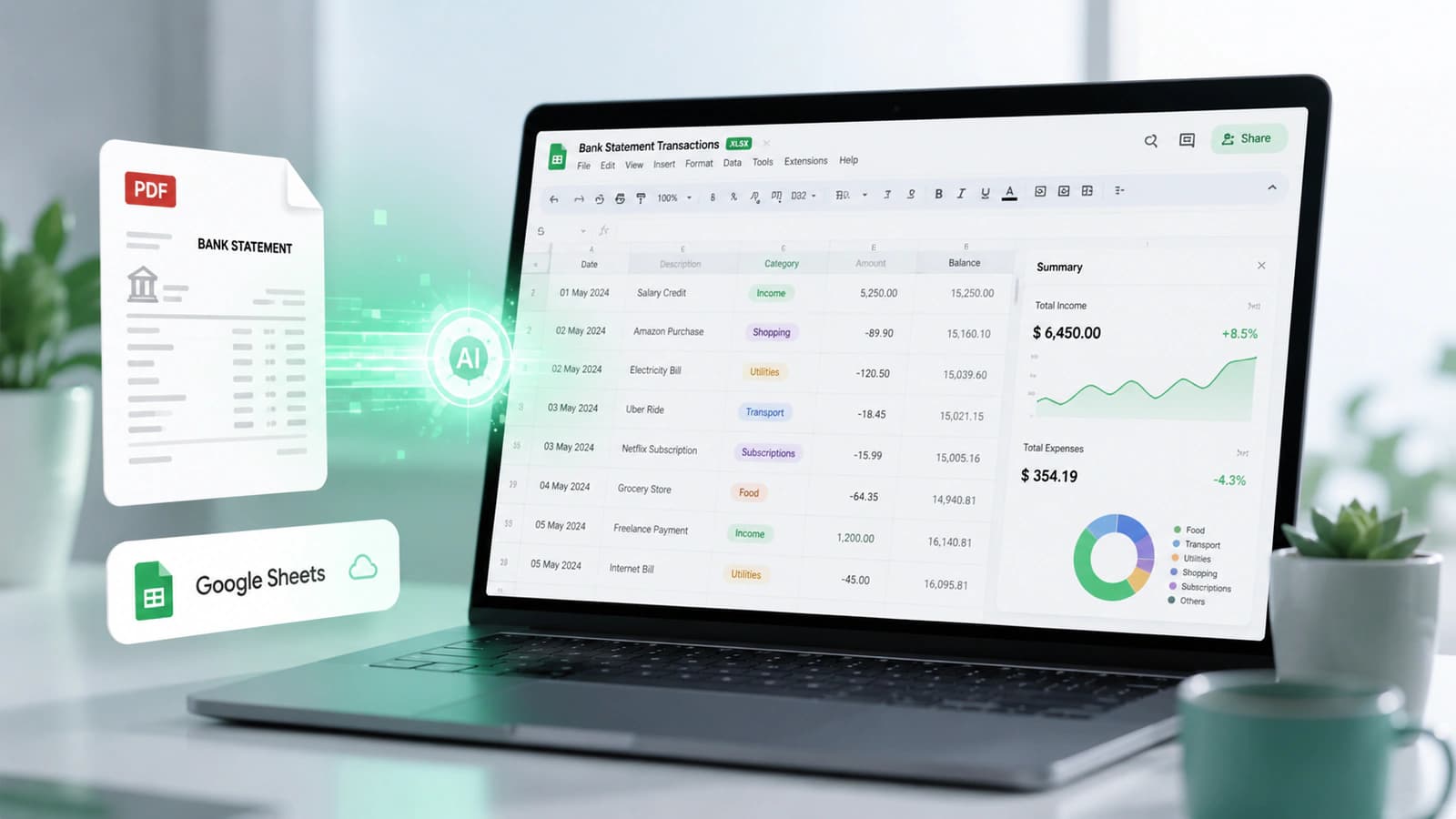
These tools use automation to extract transaction details like dates, descriptions, and amounts. AI normalization is employed to do automatic categorization. Extracted data may be formatted for export to accounting software like QuickBooks, or Xero etc.
All of these benefits make it ideal for growing businesses, accounting firms, and financial institutions to do reconciliation, reporting, analysis and auditing.
How a Bank Statement Converter Works (Step-by-Step)
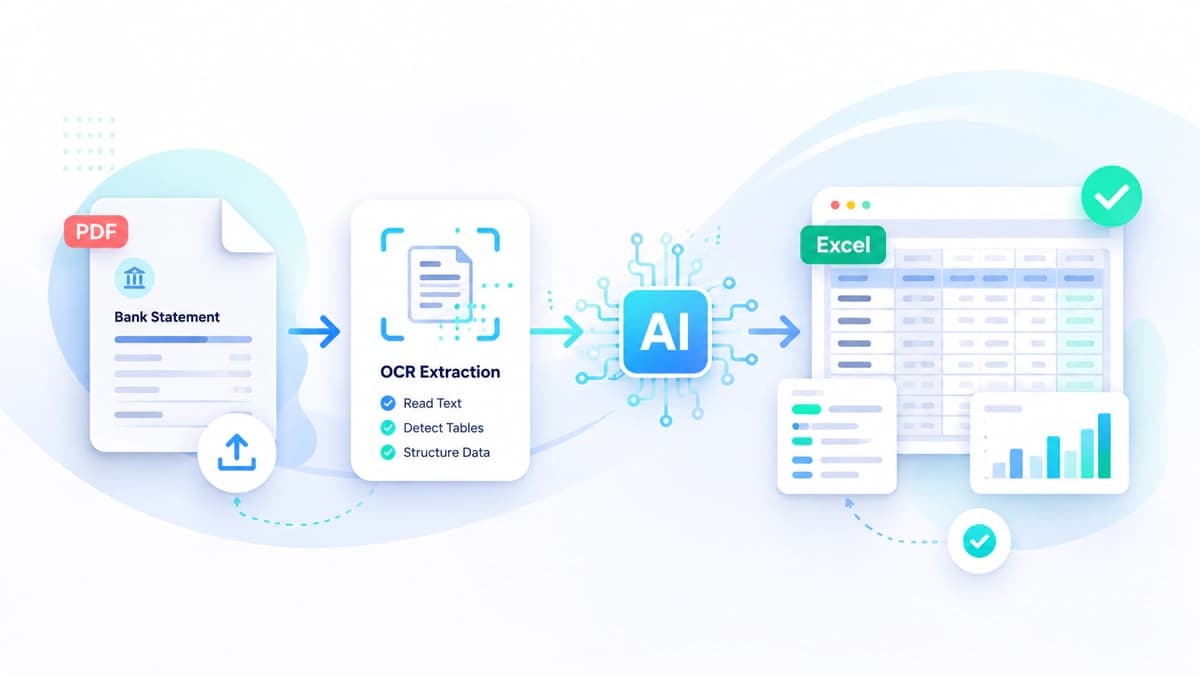
Workflow: Upload, OCR extraction, AI parsing, verification, export
Supports PDF, scanned images, and multi-bank formats
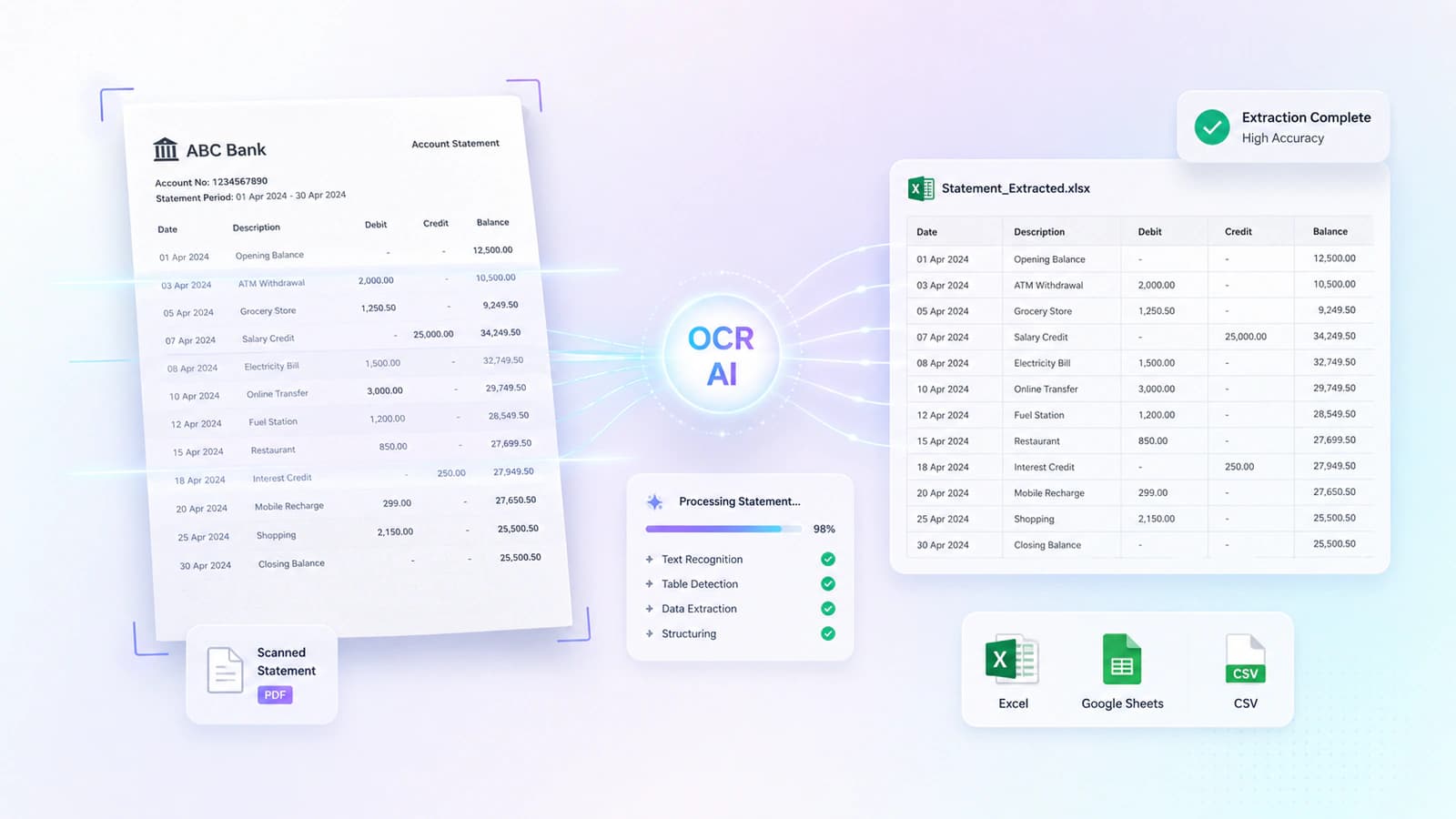
OCR extracts text; AI identifies tables, rows, and transaction patterns
Parsed into structured fields: date, description, amount, balance
Includes a validation layer for error detection and accuracy
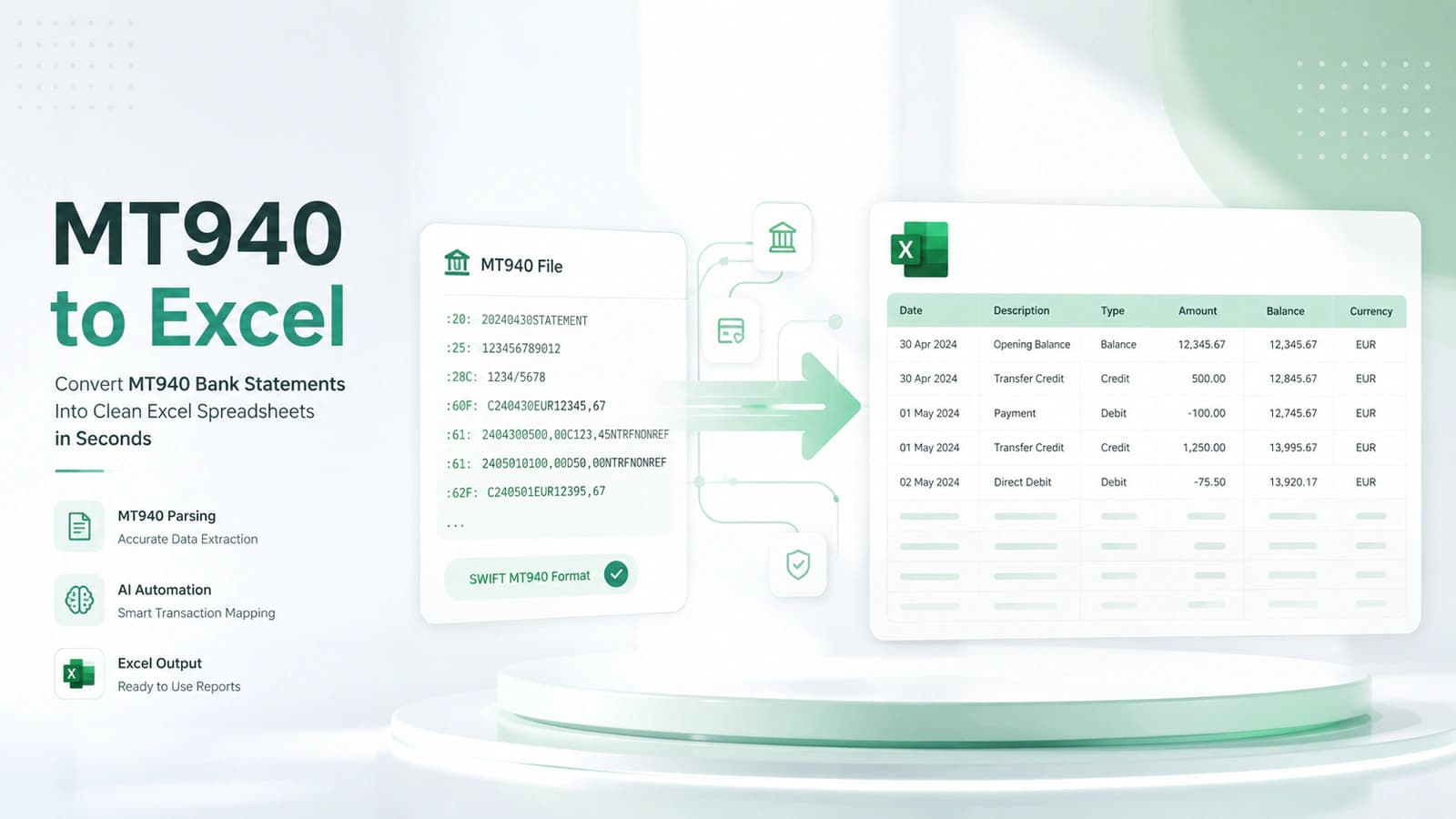
Outputs Excel, CSV, JSON, and QBO for tools like QuickBooks and Xero
Behind the simple upload and download, there is a structured pipeline powered by OCR, AI, and intelligent data processing. Let's dive into the details.
Step 1: Uploading the Bank Statement
This process starts with uploading your bank statement to the bank statement converter online or bank statement converter software. Most tools support a wide range of input formats, such as digital & scanned PDFs and even image files like JPG or PNG, etc.
What makes these tools powerful is their multibank compatibility. Either you upload your statement from a global bank like Chase to a regional institution, or these tools can handle different formats without requiring any predefined manual setup.
Often professional upload multiple statements at once when they are dealing with multiple bank accounts or are preparing monthly financial reports.
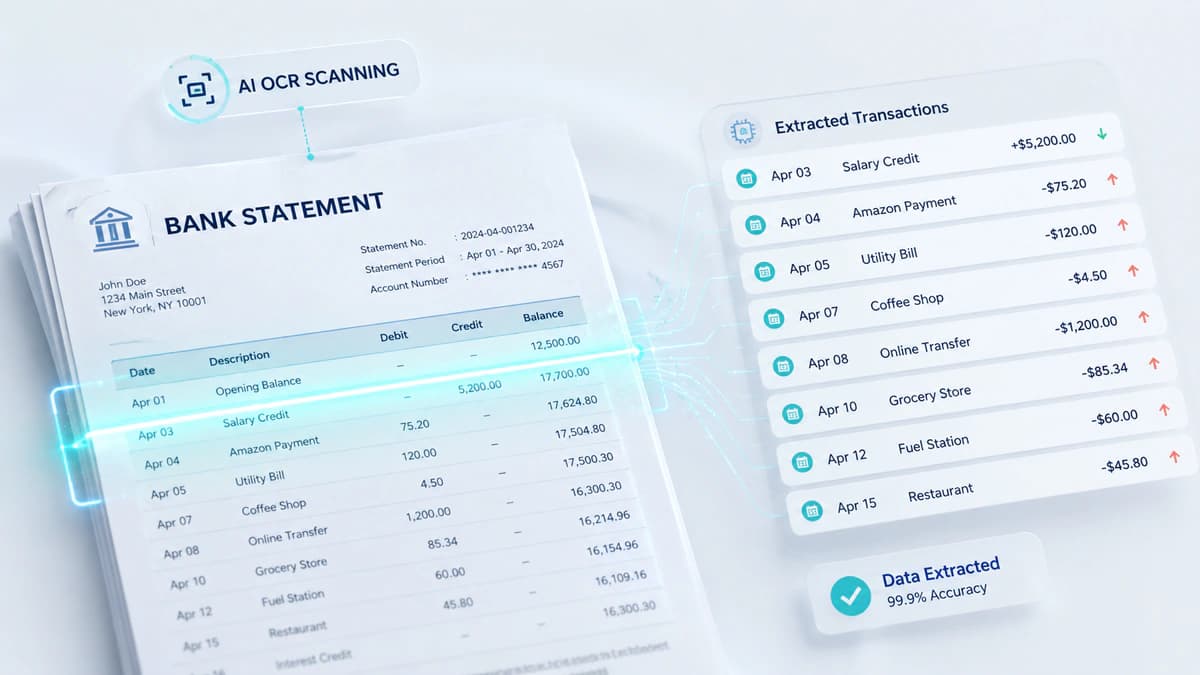
Step 2: Data Extraction Using OCR & AI
OCR is the foundation for all this process. It converts the visual text from scanned PDFs or image-based statements to editable data.
Here comes AI in play, and it understands context and identifies tables, rows, and columns of transactions. Further dates, amounts, and descriptions are interpreted. As the system is intelligent and can distinguish between transaction amount and running balance.
According to me, bank statement converter AI tools outperform traditional approaches as they don't just read data, they interpret it.
Step 3: Data Parsing and Structuring
After data extraction now the raw data is is parsed and organised into a structured format. Key fields are identified and separated like:
Transaction date. description. debit or credit value and running account balance. The parser ensures that each transaction is organised into proper rows and columns and is perfectly converted to a tabular and machine-readable format.
Step 4: Data Verification & Accuracy Checks
Modern bank statement converters include a verification layer for error detection and validation. This layer checks missing or duplicated transactions, inconsistent totals or balances, and formatting errors.
Advanced converters flag low-confidence transactions so that the user may review only those transactions. Using this approach, this system can produce accuracy upto 99% or higher.
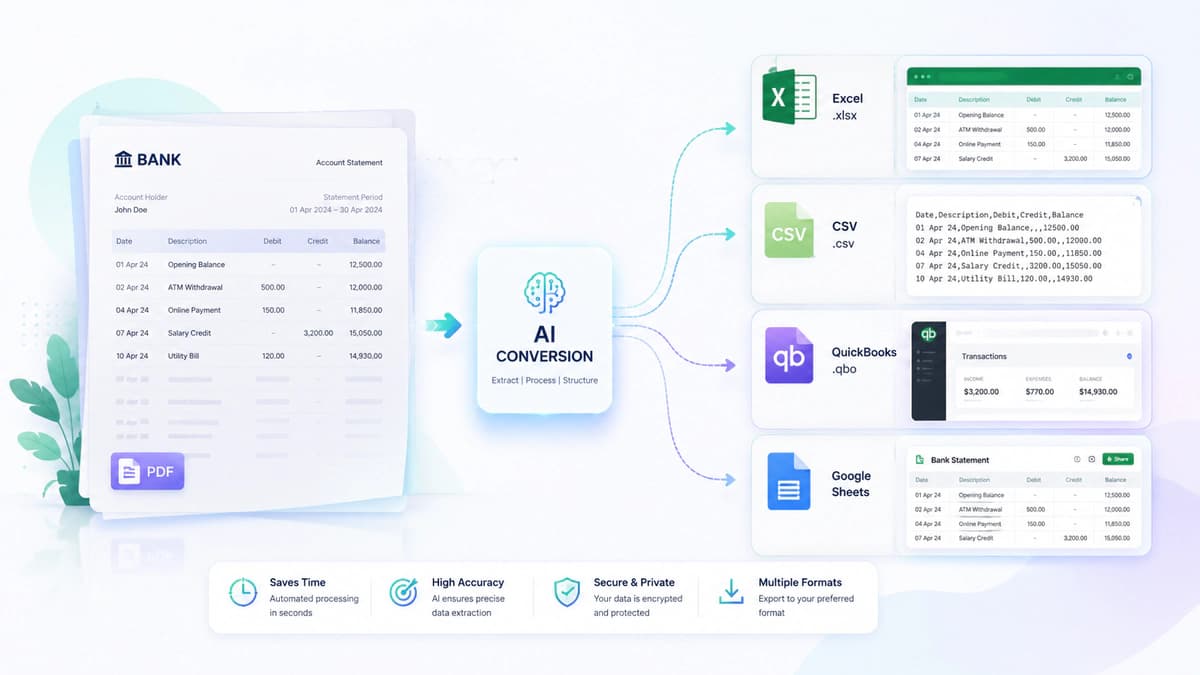
Step 5: Exporting to Excel, CSV, or Other Formats
Types of Technologies Used in Bank Statement Conversion
OCR converts images/scanned PDFs into editable text (image-to-text conversion).
AI & machine learning interpret layouts and enable template-free extraction across banks.
Data parsing + IDP structure raw text into fields (date, description, amount, balance).
Combined technologies enable accurate, scalable, multi-bank financial data extraction.
Behind every efficient conversion, there are several technologies working together. Let's see these.
OCR Technology Explained
OCR (Optical Character Recognition) is the foundation of this conversion process. It enables the system to read text from images or non-editable PDF statements and converts these into editable raw text.
Practically, OCR scans each page of a bank statement pixel by pixel. This process identifies characters, numbers, and symbols. This process is necessary in case of scanned PDFs and image-based statements, where the text of the bank statement is not directly selectable.
For example, if a scanned statement contains a transaction like
12/15/25 Salary Deposit $5,200,
than OCR can convert this into editable text that can be further processed. But OCR is not enough, it excels at image-to-text conversion, but it does not understand structure, like which values belong to dates, amounts, and values.
AI & Machine Learning in Conversion
Thisis the area where modern bank statement converter AI systems distinguish themselves from the rest of the system. Artificial intelligence and machine learning add context and intelligence to the extracted data by identifying different back layouts, table structure, fonts, and transaction styles.
So, instead of relying on fixed rules, the system learns how to distinguish between debit and credit columns, identify transaction rows even in irregular layouts, and adapt to new bank formats without manual configuration.
Data Parsing & Intelligent Document Processing
Once data has been extracted and interpreted, the next important step is structuring this data. this is handled by data parsing and Intelligent Document Processing (IDP).
Parsing is organising the raw data into meaningful fields like Date, Description, Amount, and Balance.
IDP does the hard task of classifying transaction rows, like combining multiple rows and assigning them to one financial transaction based on some relationship between rows if the row is split on multiple lines. This can not be done by OCR alone.
This layer enables a messy block of extracted text to be converted to clean, tabular, machine-readable data.
Who Uses Bank Statement Converter Software?
Used by accountants, bookkeepers, analysts, business owners, auditors, and lenders.
Enables workflows: reconciliation, reporting, audits, and financial analysis.
Converts PDFs into structured data for tools like Excel, QuickBooks, and Xero.
Supports decision-making, compliance, and scalable financial operations.
This bank statement converter software is being used by small businesses and large financial institutions. Accountants and bookkeepers are the prime users. They use this for their daily tasks like reconciliation, cash flow analysis, categorization, and financial record maintenance.
Business owners who have multiple accounts use bank statement converter online tools to obtain structured data for visualising their finances, whether it's budgeting, forecasting, or monitoring expenses.
Auditors use these tools to streamline audit preparation, such as sampling, verification, and compliance checks. Lending and underwriting teams also use these tools for evaluating loan applications by assessing income, spending behavior, and financial stability.
Security & Compliance in Bank Statement Conversion
Uses AES-256 encryption for secure data handling
GDPR ensures data privacy and compliance
SOC 2 / HIPAA applies to enterprise-grade tools
Key concerns: data storage, sharing, and deletion policies
Security is critical when handling financial documents
A reliable bank statement converter must ensure that clients' sensitive banking information remains protected at every stage of the process. The core security mechanism used for data encryption is AES-256 encryption. This ensures that files are protected during the upload/download and while converting information on the server.
Although most of these tools don't store clients' sensitive data on the servers. Many tools comply with GDPR (General Data Protection Regulation), which defines how user data is collected, processed, and stored, especially for users in Europe.
In enterprise-grade solutions, certifications like SOC 2 Type 2 and HIPAA compliance may be present. This practice further strengthens data security.
Despite these standards, the system follows strict security protocols those ensures that user data is not used for training models, files are automatically deleted after processing, and further data is not shared with any third-party.
Common Challenges & Limitations
Challenges include poor scan quality, OCR misreads, and complex layouts
Bank format variations can affect extraction accuracy
AI reduces issues, but verification is still necessary
High-quality input improves results significantly
Although the bank statement converter tool offers many avantages but, it is not without any limitations.
One challenge it has to deal with is poor scan quality. If a bank statement is blurry, skewed, or contains faded text, than an davnaced OCR system has to struggle hard to extract data and may not produce better results.
Inherent limitation of OCR in reading characters. For example, 8 might be interpreted as 3, which may lead to financial data discrepancies.
Some banks have complex layouts in which there are irregular tables, multiple descriptions, and merged columns. All these chlanges makes it harder to correctly identify transaction rows. AI helps here, but these edge cases still exist. Different bank formats also pose problems for this conversion, and highly customised and outdated formats require manual interpretation.
Frequently Asked Questions
What is a bank statement converter?
A bank statement converter is a tool, maybe online, that takes a bank statement from the user and converts it into a structured data format like Excel, CSV, or JSON. The input bank statement format is generally in PDF, which may be a digital or scanned PDF. These tools also accept bank statements in image formats like JPEG, PNG, etc. The purpose of the extracted bank statement is diverse, ranging from reconciliations to financial analysis, and also this conversion helps to organise data for input into the accounting systems.
How does it work?
This tool works in a multi-step process. The bank statement file is uploaded in the system, and then data is extracted either using OCR if it is a scanned PDF or image file or using PDF processors if it is a digital PDF. The transactions table is identified and extracted in a tabular structured data format. Here, the tool may harness the power of AI parsing the information present in bank statements and organising and normalising the data.
Is it safe to use?
Yes, most modern bank statement converter software uses strong security measures such as AES-256 encryption, GDPR compliance, and secure data handling policies. Further, such tools ensure that files are deleted after processing from their servers and not shared with third parties.
Can it handle scanned PDFs?
Yes, advanced bank statement converter AI tools are specifically designed to handle scanned and image-based PDFs. They use OCR combined with machine learning to accurately extract transaction data, even from low-quality documents.
Are free tools reliable?
A free tool is reliable for basic use cases like extracting data from digital PDFs. Somehow, free tools have limitations in accuracy, file size, and the number of pages of bank statements that can be converted. For complex tasks and for PDFs with poor readability, paid tools provide better performance and reliability.
Final Thoughts
A bank statement converter has become a necessity in the modern financial workflow. It has facilitated the transformation of static documents into actionable data. All of this has made it possible to scale up the solutions. Users of these tools can save hours of manual work. Structured data is essential for accountants managing multiple clients, a business owner who wants to track cash flows, or a financial analyst who wants to prepare analytical reports.
Looking ahead, the real-time data processing and machine learning technologies are transforming how structured data is captured and used.
According to me, besides efficiency, a bank statement converter keeps you competitive in the industry. Further, it helps you to achieve speed, accuracy, and automation.
Conversation0 Comments
Write a comment ↓Leave a Reply
Your email address will not be published. Required fields are marked *
Login Required
Please sign in to join the conversation.